
Free tool
Free ATS resume checker. See your resume the way the hiring system reads it.
An ATS resume checker shows what an applicant tracking system pulls out of your file, and whether a recruiter's search finds you for the job you want. Drop your resume, name the job, and get a score with the bullets that can be better marked on your resume, where you can edit them. Free, no sign-up.
Have the job post? Paste it for its exact words
We send the text, not the file. We keep nothing.
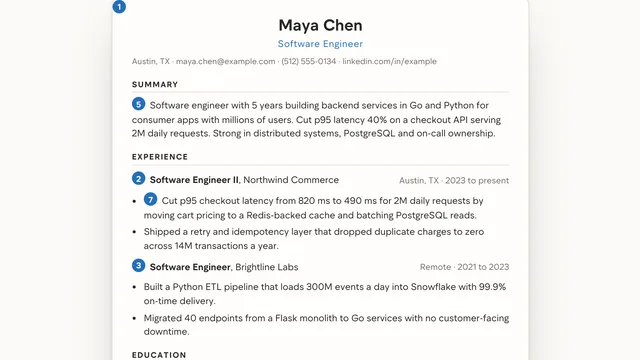
Example result
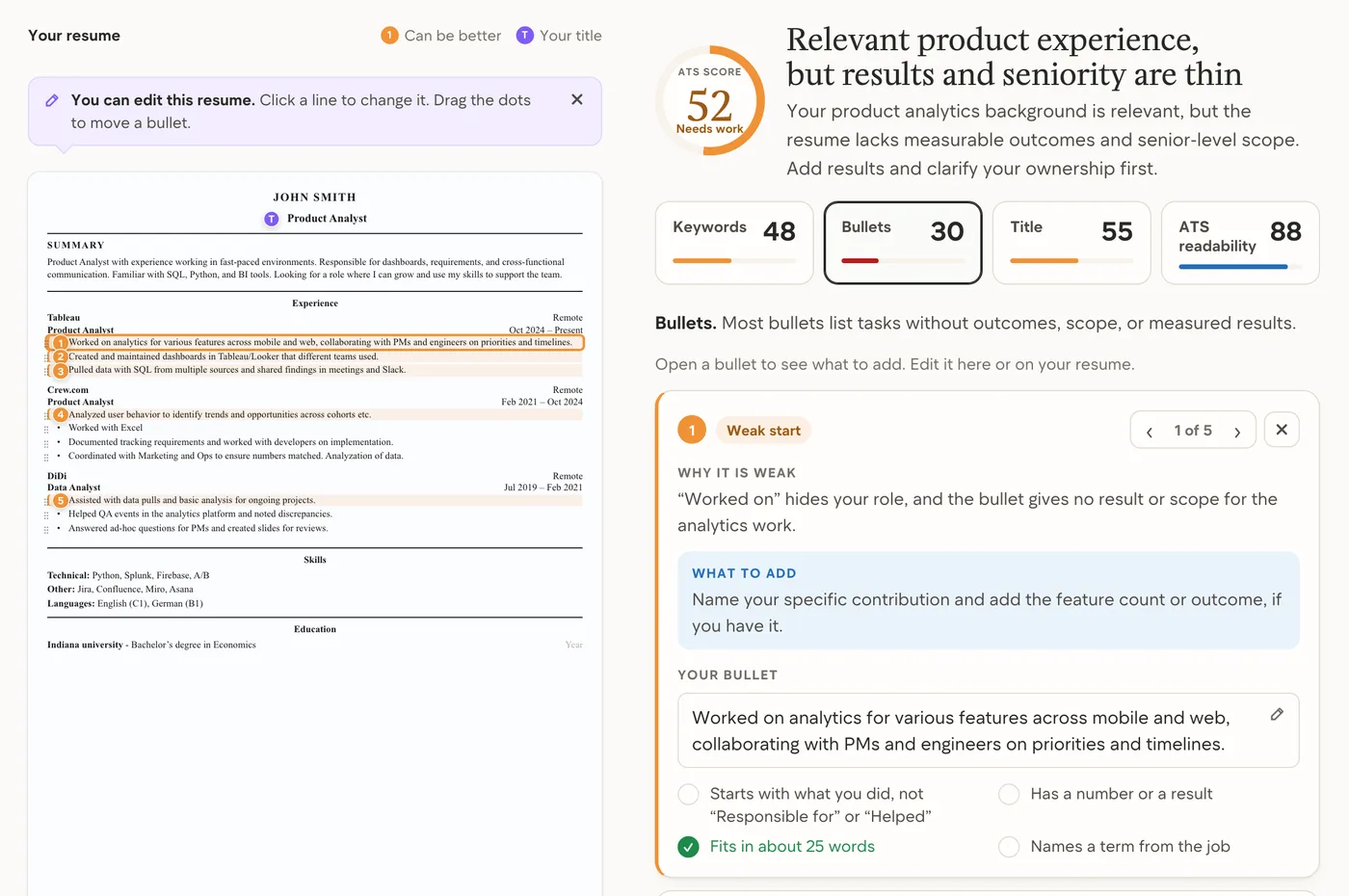

Andrey (Founder of AirCareer, ex-DoorDash lead data scientist and hiring manager) screened 10,000+ resumes and ran 1,000+ interviews.
Find me a jobWhat an ATS reads, and what it skips
An applicant tracking system (ATS) is the software an employer uses to collect applications. It does three things with your resume. It stores the file. It pulls the text out and sorts it into fields: name, contact details, job titles, employers, dates, schools and skills. Then a recruiter searches those fields for the job post's words and sorts the candidates.
So the parser cares about text and order, not design. A one-column file comes out as clean text. Two columns can come out as lines that run straight across both. Contact details in a Word header are often skipped. Images, icons and skill bars carry nothing.
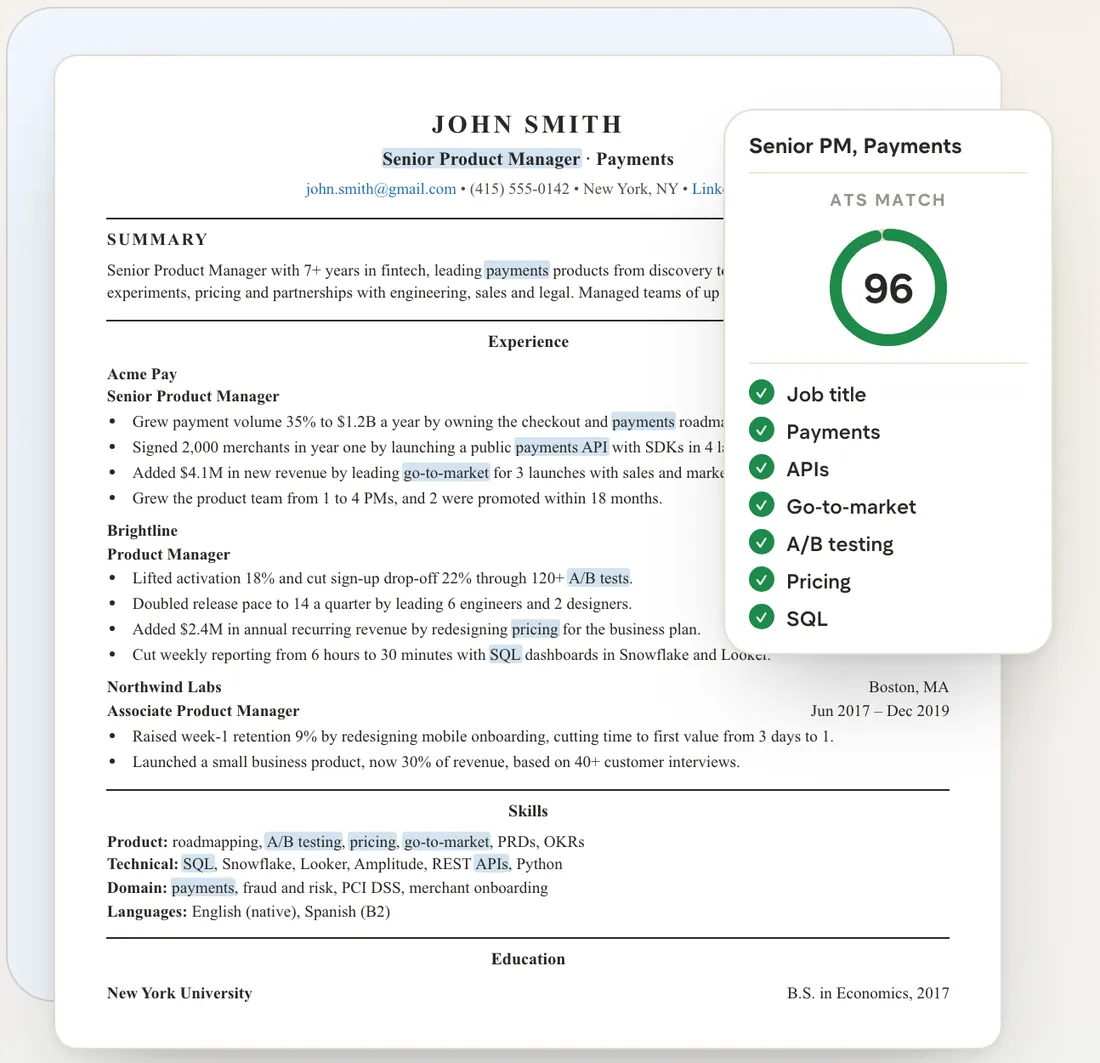
Before: same experience, the post’s words missing
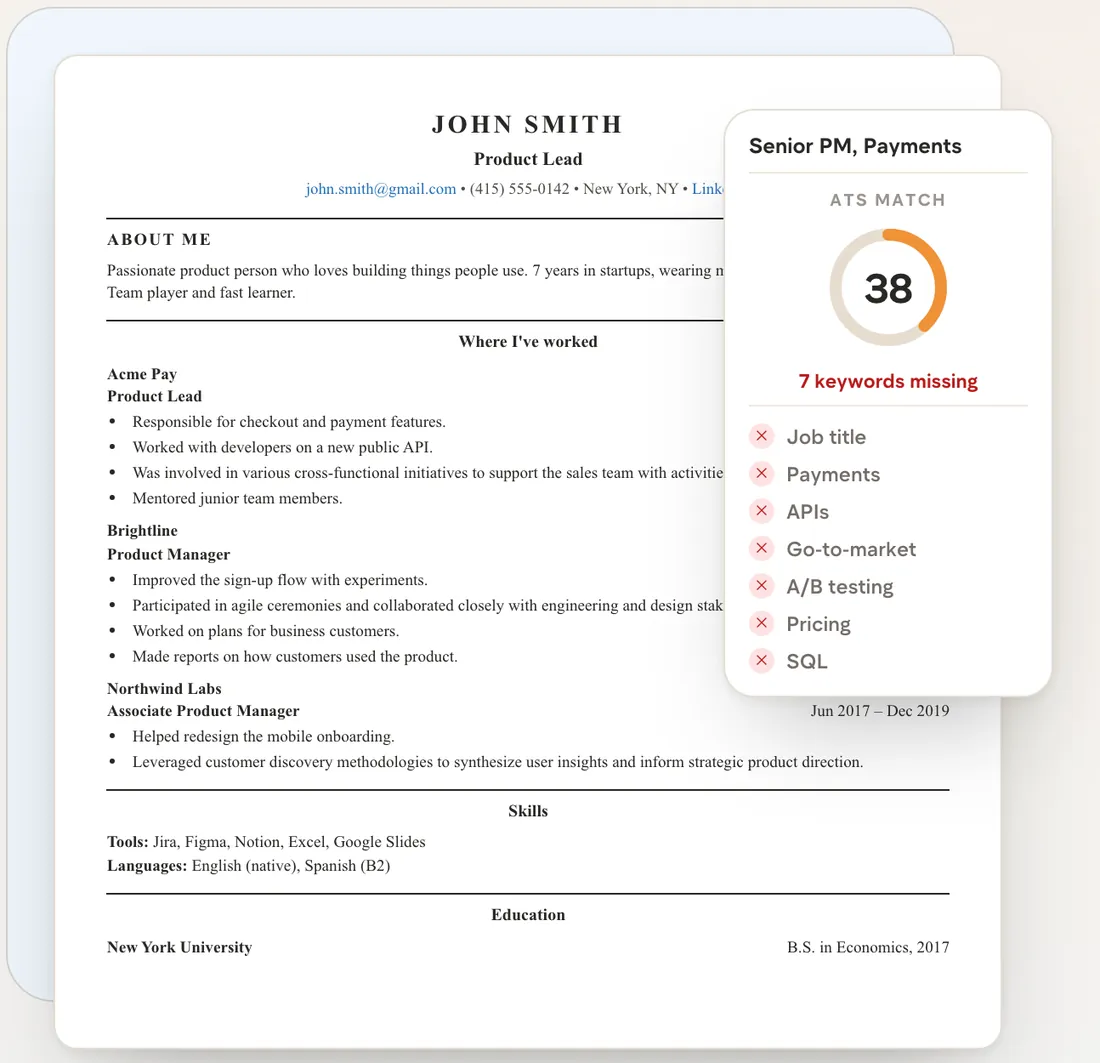
After: the post’s words in the bullets and skills
See which of your bullets a recruiter skims past.
Drop your resume above. The check reads it on your device and sends only the text.
What the check looks at, and how to fix it
Your browser measures the file's layout: columns, images, tables, a Word header and broken characters. An AI model reads the text with those facts the way a recruiter would. It marks the bullets that can be better and checks your title and the 8 terms a recruiter searches for.
| What it looks at | What trips it | Fix |
|---|---|---|
| Text is readable | Under 50 readable characters per page: a scan or a picture. | Send a file with real text. |
| Job title terms | The 8 terms a recruiter searches for your title, missing from your text. | Use the post's spelling, for work you have done. |
| Title matches the job | Your latest title names another level or role. | The post's title words, where true. |
| Bullets show results | Duties with no result, or “Responsible for”. | What you did, then the result. |
| One column, reading orderCosts the most | Many parsers read straight across, so a job title runs into your skills list. | One column. Sidebar items get their own section. |
| Contact details parsedCosts the most | Many parsers skip Word headers, so the form gets no email or phone. | One contact line under your name, in the body. |
| Standard headings | No Experience, Education or Skills heading. | Plain section names. |
| Dates parseable | Roles with no readable date, such as Jan 2022 – Present or 2021. | A date on every role, one format. |
| Unbroken charactersCosts the most | Some design tools export fonts without a letter map, so “Python” comes out as symbols. | Export from Word or Google Docs. |
| No tables, text boxes or imagesCosts the most | A bar, a star rating or an icon is a picture. The parser gets nothing. | List skills as words, in two or three groups. |
| LengthCosts the most | Over 2 pages, or under 150 words. The recruiter reads less of each page. | One page, two with 10+ years. |
| File type | Anything but PDF or Word. | PDF, or .docx if the form asks. |
What the score means
The score is an AI model's judgment of your resume for the job you name: its search terms, your bullets, your title and how cleanly an ATS reads the file. The scale below shows what each band means.
- Under 40: hard to find
- 40 to 69: needs work
- 70 to 89: solid, a few fixes
- 90 or more: strong
ATS resume checker questions
What does an ATS actually see on my resume?
Text, not design. The system pulls the words out of your file and sorts them into fields: name, email, phone, titles, employers, dates, schools and skills. Icons, photos and skill bars carry nothing. Text in an image or a Word header often gets lost.
Is this ATS score the same score the employer sees?
No. No ATS publishes a score, and most show recruiters none. Ours is an AI model’s read of your resume for the job you name: the job’s search terms, your bullets, your title and how cleanly a parser reads the file. A high score means a recruiter can find you. Whether you fit is their call.
Do ATS systems reject resumes automatically?
Mostly no. In the forms AirCareer submits on, the system stores and sorts applications, and a recruiter searches it for the job post’s words. A knockout question you answer, such as work authorization, can screen you out. The popular ATS rejection percentages have no published study behind them.
Should I send a PDF or a Word file?
PDF, unless the form asks for Word. A PDF exported from Word or Google Docs keeps real text and looks the same everywhere. A PDF from a design tool can break its characters, so run it through the checker first.
Which resume keywords matter?
The ones a recruiter types for your job title: the title itself, then the tools and skills the post names, in its spelling. The checker shows 8 of them for the title you enter. Put the ones you have used into your bullets and skills. Never add a skill you have not used.
Is my resume uploaded anywhere?
Not the file. We read the file on your device and send only its text, with a few layout facts, to an AI model that checks it. We do not keep the text or the result. Only the “Fix my resume for this job” button on your result moves the file to a new AirCareer account.
Turn your resume check into a stronger application
A clean parse lets a recruiter’s search find you. The search uses each job post’s own words, so AirCareer rewrites your resume for every job it applies to. It keeps your employers and dates exactly as they are, and you see every change.
Read next
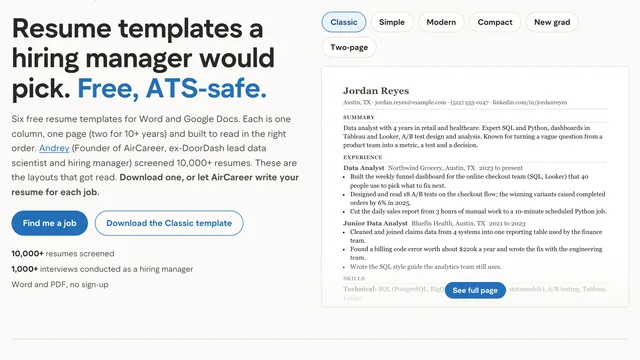
Your resume, readable and written for each job.
Tailor my resume for each job